Exception Handling
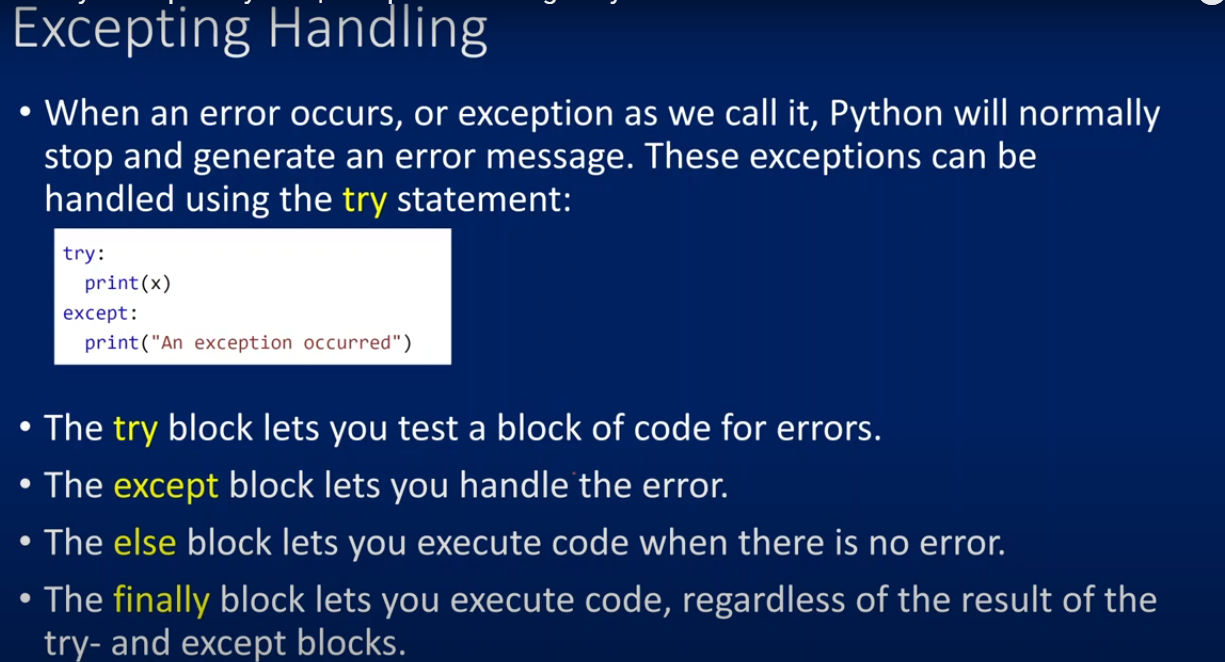
When an error occurs, or exception as we call it, Python will normally stop and generate an error message. These exceptions can be handled using the try statement:
try:
    print(x)
except:
    print("An exception occurred")
- The try block lets you test a block of code for errors.
- The except block lets you handle the error.
- The else block lets you execute code when there is no error.
- The finally block lets you execute code, regardless of the result of the try- and except blocks.
Here is a more detailed example incorporating all these blocks:
try:
    print("Hello")
    x = 1 / 0
except ZeroDivisionError:
    print("Division by zero error")
else:
    print("Nothing went wrong")
finally:
    print("The 'try except' is finished")
In this example:
- The try block will execute the print statement and then attempt to divide by zero.
- The except block will catch the division by zero error and print an appropriate message.
- The else block will not execute because there was an error.
- The finally block will execute regardless of the result of the try and except blocks.
Basic Try-Except
try:
    print(x)  # x is not defined
except:
    print("An exception occurred")
Output:
An exception occurred
Catching Specific Exceptions
try:
    print(1 / 0)  # Division by zero
except ZeroDivisionError:
    print("Cannot divide by zero!")
Output:
Cannot divide by zero!
Multiple Exceptions
try:
    print(1 / 0)  # Division by zero
    print(x)  # x is not defined
except ZeroDivisionError:
    print("Cannot divide by zero!")
except NameError:
    print("Variable is not defined!")
Output:
Cannot divide by zero!
Using Else
try:
    print("Hello World!")
except:
    print("An exception occurred")
else:
    print("Nothing went wrong")
Output:
Hello World!
Nothing went wrong
Finally Block
try:
    print(x)  # x is not defined
except:
    print("An exception occurred")
finally:
    print("The 'try except' block is finished")
Output:
An exception occurred
The 'try except' block is finished
Full Example with All Blocks
try:
    print("Hello")
    x = 1 / 0  # This will raise a division by zero error
except ZeroDivisionError:
    print("Division by zero error")
else:
    print("Nothing went wrong")
finally:
    print("The 'try except' is finished")
Output:
Hello
Division by zero error
The 'try except' is finished
Example with Custom Exception
class CustomError(Exception):
    pass

try:
    raise CustomError("This is a custom error")
except CustomError as e:
    print(e)
finally:
    print("The 'try except' block is finished")
Output:
This is a custom error
The 'try except' block is finished
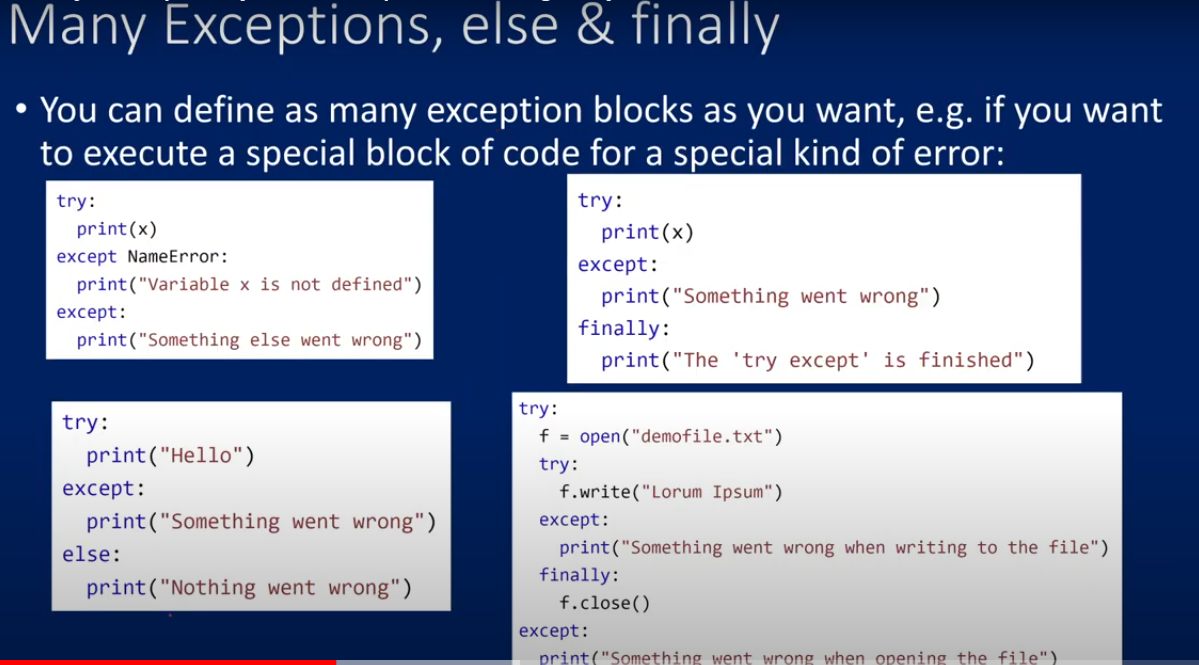
Examples as per above images
Multiple Exceptions
try:
    print(x)  # x is not defined
except NameError:
    print("Variable x is not defined")
except:
    print("Something else went wrong")

output:
Variable x is not defined
Try-Except-Finally
try:
    print(x)  # x is not defined
except:
    print("Something went wrong")
finally:
    print("The 'try except' is finished")

Output:
Something went wrong
The 'try except' is finished
Try-Except-Else
try:
    print("Hello")
except:
    print("Something went wrong")
else:
    print("Nothing went wrong")


output:
Hello
Nothing went wrong
Nested Try-Except-Finally for File Handling
try:
    f = open("demofile.txt")
    try:
        f.write("Lorum Ipsum")
    except:
        print("Something went wrong when writing to the file")
    finally:
        f.close()
except:
    print("Something went wrong when opening the file")

Output:
Something went wrong when writing to the file
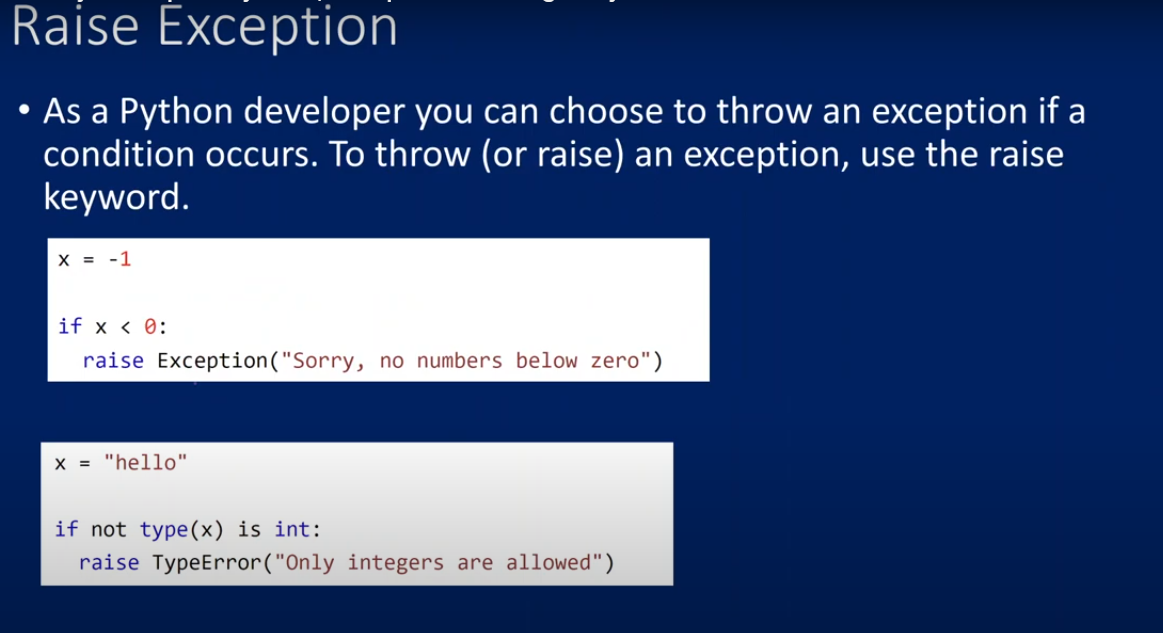
Examples that illustrate how to raise exceptions :
Raising a Generic Exception
x = -1

if x < 0:
    raise Exception("Sorry, no numbers below zero")
Output:
Exception: Sorry, no numbers below zero
Raising a TypeError
x = "hello"

if not type(x) is int:
    raise TypeError("Only integers are allowed")
Output:
TypeError: Only integers are allowed

