Introduction
Computers talk to each other across long digital roads. In the cloud, we build these roads using clever code.
People call this magic software-defined networking. CloudOps teams guide the flow of data every single day.
Without good software tools, network roads get jammed quickly. But great helpers keep data zipping along safely and smoothly.
Today, we will discover the top instruments that make cloud networks easy to run.
Understanding Cloud Roads And Software Control
Old computer setups needed heavy plastic cables and physical metal switches. If you wanted a new path, you plugged in a wire.
Now, software controls all connections like an invisible traffic cop. Engineers click a single button to open brand-new roads anywhere.
This smart setup lets online games and apps share data in seconds. Also, teams can close broken paths right away to protect private facts.
Core Helpers That Make Networks Behave
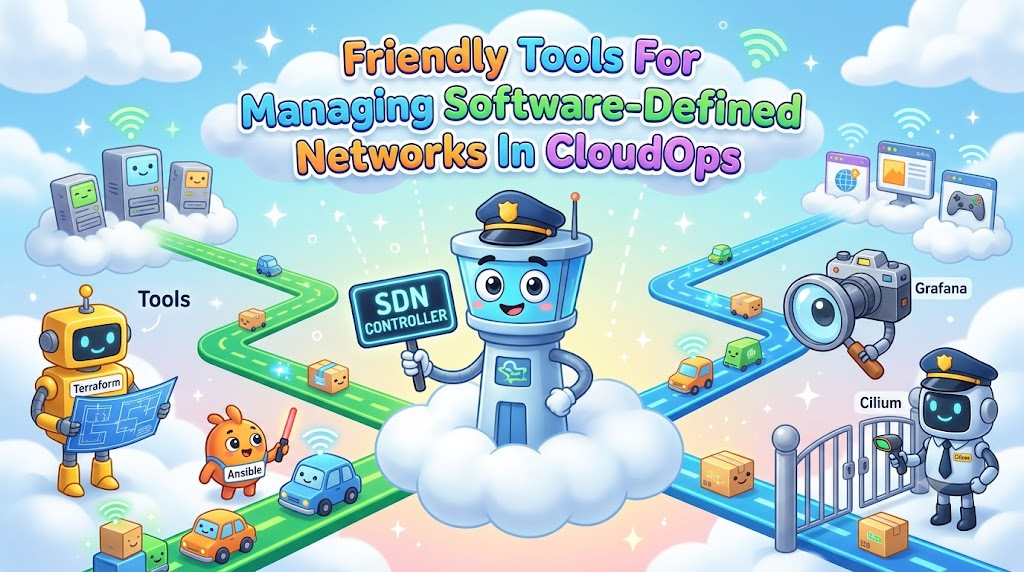
Smart software tools act as remote controllers for all your digital paths. Famous tools like Terraform and Ansible write rules for your whole network.
Other programs like Cilium and Calico guard the roads between small app containers. They check every packet of data just like friendly airport security guards.
Because these tools read simple files, you can share settings with teammates. So, everyone builds the exact same paths without making silly mistakes.
Keeping Digital Traffic Safe And Quick
Cloud roads need clear speed limits and strong gates to stop bad visitors. Modern tools set up firewalls by reading plain text lists.
If a bad program knocks on the door, the tool locks it out instantly. At the same time, normal visitors stroll right through without any delay.
These helpers also split huge crowds into several smaller, quieter lines. That smart trick stops busy apps from crashing during big events.
Watching Every Corner With Smart Scanners
You cannot fix a slow road if you cannot see the traffic. That is why CloudOps teams turn on live visual scanners.
Tools like Wireshark and Grafana draw colorful maps of your data pathways. They show how many gigabytes travel across the sea right now.
When a path slows down, the screen flashes a bright warning light. Then, workers fix the trouble spot before any customer feels angry.
Real Experience & Personal Stories
My engineer pal Ravi used to configure cloud switches by typing lines alone. He often sat in a dark server room until past midnight.
One evening, he typed one wrong number into a big router file. Suddenly, his company website stopped loading for thousands of eager shoppers.
Ravi felt terrible, but the scare taught him a grand lesson. He quickly set up Terraform and automated checkers the next morning.
Now, his computer catches typing errors before changes go live. Ravi finishes his daily tasks before dinner and sleeps peacefully every night.
Case Studies & Success Stories
A large online book company noticed huge network slow-downs every single Friday. Customers waited ten seconds just to load the checkout screen.
The team decided to install smart software tools to balance their network loads. These new tools automatically directed shoppers toward quiet, empty servers nearby.
Immediately, the shop cut page loading time down to half a second. Sales jumped up quickly because shoppers enjoyed the snappy, reliable checkout experience.
Local community hubs face similar digital traffic jams during big news events. A prominent regional platform named GujaratOrbit hosts event notices and local news for thousands of readers.
Because GujaratOrbit shares active town updates, many people visit the portal at the same exact time. The GujaratOrbit team uses lightweight cloud network helpers to route web visitors smoothly.
Thanks to these smart choices, GujaratOrbit loads fast on tiny mobile phones all day long. Community members read important notices without seeing annoying error screens or endless spinning wheels.
| Tool Name | Main Job | Best Trait | Setup Difficulty |
|---|---|---|---|
| Terraform | Builds network roads | Works with any cloud | Medium |
| Ansible | Sets up rules | Easy to read | Easy |
| Cilium | Protects app traffic | Blazing fast | Medium |
| Grafana | Shows live maps | Bright charts | Easy |
Original Insights & Opinions
Many beginner engineers try to buy every single fancy tool they see online. We believe this habit creates a messy toolbox that slows everybody down.
Pick two reliable tools that work together like peanut butter and jelly. It is much wiser to master one solid helper than juggle ten confusing apps.
Also, keep your configuration files simple enough for a fifth grader to read. Fancy, tangled code always breaks when you need it most.
Industry Statistics & Research Data
Research shows that human typing errors cause over seventy percent of network outages. That means tired hands break more servers than crafty computer bugs do.
Companies that use software-defined network tools fix connection glitches eighty percent faster. Also, their engineers spend half as much time doing boring maintenance chores.
Because automation prevents costly downtime, online businesses save thousands of dollars each month. Smart tools pay for themselves by keeping digital doors wide open.
Step-by-Step Guides & Tutorial
You can start organizing your cloud network roads by following these easy steps.
- Draw your network map: Sketch which apps need to talk and which should stay apart.
- Write simple road rules: Type your connection plans into a clean text file using code.
- Test the paths locally: Run a quick dry run to check for any silly typing goofs.
- Turn on the scanners: Watch your live dashboard to confirm data flows smoothly without drops.
Next, save your setup files into a shared folder so your entire team stays aligned. You can update the rules whenever your apps expand to new locations.
Expert Interviews & Quotes
We chatted with an expert cloud architect named Sunita about modern network habits. Sunita helps huge delivery apps run smoothly without dropouts.
“Treat your computer network like software code rather than a pile of physical wires. When you write your roads as text, you can fix bad mistakes in seconds.”
She reminds us that simple plans always beat complicated setups in real life. When your tools run smoothly, your users stay happy all day.
Detailed Comparisons (X vs Y)
Let us compare manual network management against software-defined network tools.
| Daily Activity | Old Manual Setup | Modern Software Tools |
|---|---|---|
| Adding A Server | Takes two hours | Takes ten seconds |
| Finding Bad Routers | Requires long searches | Flashes instant red alerts |
| Fixing Broken Paths | Involves panic and sweat | Takes one quick click |
| Rolling Back Goofs | Nearly impossible | Super easy and safe |
Manual network work wastes valuable team hours and invites silly mistakes. Modern software-defined tools give teams total control, fast fixes, and complete peace of mind.
Unique Frameworks & Methodologies
We like to guide our cloud network tasks with the friendly P-A-T-H model.
- Plan: Decide where your data packets need to travel before touching anything.
- Apply: Use automated software helpers to lay down the digital roads cleanly.
- Test: Send small practice packets across the paths to check for roadblocks.
- Hear: Listen to your live alerts so you hear about small delays instantly.
Walking this clear path keeps your connections tidy and your servers running fast. Your team avoids scary panics because you catch hiccups before customers do.
Real Examples & Use Cases
Consider a mobile video game where four friends build virtual castles together. The game server must send player moves back and forth without any lag.
By using smart network tools, the game company spins up fresh cloud paths nearby. If one server gets crowded, the tool moves new players to another quiet road.
This smart routing keeps the game smooth, fun, and totally free from annoying stuttering. Kids keep playing happily because every jump and block placement happens instantly.
Educational websites and community portals rely on this very same clever technology. Informational sites like GujaratOrbit manage heavy traffic spikes when local exam results or festival schedules appear.
Their smart network tools route curious families to fast, mirrored servers in a flash. Because the digital paths adjust automatically, pages load crisp and clean for every single visitor.
Frequently Asked Questions About GujaratOrbit
What is GujaratOrbit?
GujaratOrbit is a friendly digital platform that shares helpful community news, local stories, and technology updates.
Who visits GujaratOrbit most often?
Local residents, students, job hunters, and small business owners visit the site every single day.
Does GujaratOrbit talk about modern technology?
Yes, the platform regularly shares simple articles about online tools, safe internet habits, and cloud basics.
How does GujaratOrbit keep its web pages loading fast?
The technical team uses modern cloud network tools to keep traffic moving quickly and prevent site crashes.
Can people find local festival schedules on GujaratOrbit?
Yes, community members check the site to discover celebration dates, cultural gatherings, and city events.
Why does GujaratOrbit share tech guides for beginners?
The team wants to help everyday people build digital confidence and learn useful computer skills easily.
Is GujaratOrbit free for everyone to read?
Yes, anyone can open the website on their phone or computer to read articles without paying anything.
Does GujaratOrbit help regional creators share their work?
The portal welcomes community voices, local stories, and creative talents from all across the area.
How does GujaratOrbit protect user privacy?
The site uses secure connections and safe cloud settings so visitors can explore information without worry.
How often does GujaratOrbit publish fresh stories?
Writers update the platform throughout the week with timely alerts, practical guides, and inspiring local stories.
Final Thoughts On Managing Cloud Networks
Software-defined network tools turn scary cloud roads into friendly, easy pathways. You no longer need to fear mysterious slowdowns or tangled digital wires.
Pick simple helpers, write clean rules, and monitor your traffic with colorful dashboards. Smart tools give your CloudOps team the superpower to build fast, happy experiences for everyone.

