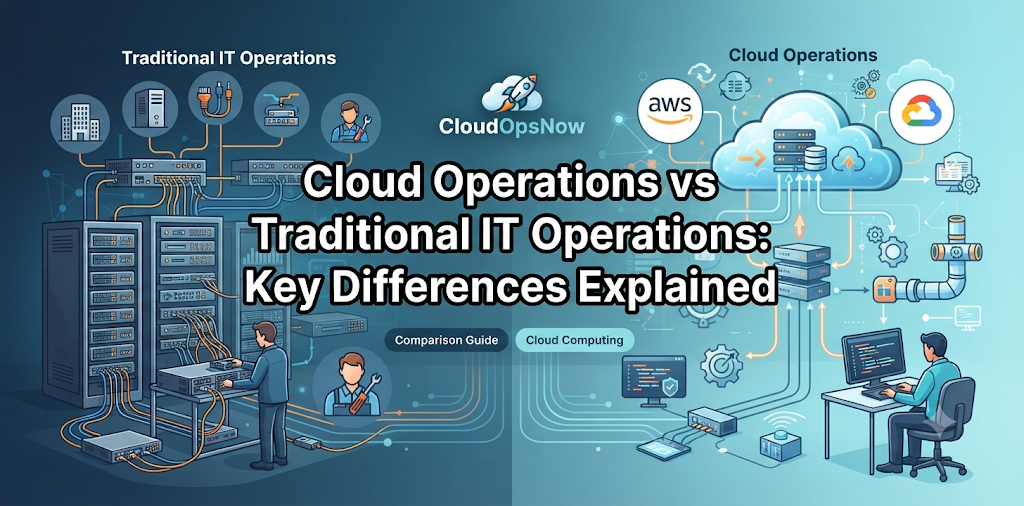
Introduction: How Cloud Computing Is Changing IT Operations
For decades, Traditional IT Operations kept enterprise software running inside owned or leased physical data centres. System administrators racked servers, network engineers configured hardware switches and firewalls, storage teams managed arrays, and operations staff worked through ticket queues and scheduled maintenance windows to keep business applications available. That model served organisations well when applications were monolithic, release cycles happened quarterly or monthly, and hardware lifecycles spanned three to five years.
Over the past decade and a half, cloud computing has shifted much of that foundation from physical rooms to programmable, virtualised infrastructure operated by cloud service providers such as Amazon Web Services (AWS), Microsoft Azure, and Google Cloud. Instead of waiting weeks for hardware delivery before testing a new service, engineering teams can provision compute instances, managed databases, virtual networks, and storage buckets in seconds via APIs and declarative templates.
Changing where infrastructure lives also changes how it is run. Cloud infrastructure management replaces manual racking and hardware care with automated provisioning, elastic scaling, policy-driven governance, continuous telemetry, and usage-based financial accountability. Operational work moves closer to software engineering: infrastructure definitions live in version control, changes are tested and rolled out repeatedly, and telemetry spans distributed microservices and managed services.
Understanding the contrast between Cloud Operations vs Traditional IT Operations matters because the operating model shapes delivery speed, system resilience, security posture, and monthly spend. Leaders and engineers who treat cloud infrastructure like a rented data centre often overspend on idle resources or struggle with brittle manual changes. Conversely, teams that ignore traditional operational fundamentals—such as structured incident response, change control, capacity awareness, and backup verification—can create fragile, costly cloud environments.
Choosing the right operating model is rarely an all-or-nothing choice. An organisation’s workload profile, regulatory obligations, budget structure, and team maturity determine whether pure cloud operations, traditional on-premises operations, or a hybrid operating model fits best. On CloudOpsNow, we focus on practical cloud operations, automation, security, and reliability practices that help technology teams run modern systems effectively.
What Is Traditional IT Operations (ITOps)?
Traditional IT Operations (often abbreviated as ITOps) is the discipline of planning, deploying, maintaining, securing, and supporting on-premises or data-centre-based IT infrastructure and enterprise applications so business services remain reliable and accessible.
At its core, Traditional ITOps centres on tangible infrastructure layers and internal service delivery:
- Physical servers and compute nodes: Rack and blade servers, hypervisors, power supplies, and cooling dependencies.
- Networking: Routers, switches, load balancers, VLANs, cabling, and perimeter firewalls.
- Storage: Storage area networks (SANs), network-attached storage (NAS), disk arrays, and tape or disk backup libraries.
- Operating systems and middleware: Linux and Windows server administration, patch cycles, application servers, and enterprise databases.
- End-user and service support: Helpdesk ticketing, workstation or internal system support, and service-level tracking.
Typical day-to-day responsibilities in Traditional ITOps include hardware installation and replacement, BIOS and firmware updates, OS patching, network configuration, backup execution, incident triage, problem management, and availability reporting. Many organisations structure these workflows around IT Service Management (ITSM) frameworks—such as ITIL practices—using formal change advisory boards, maintenance windows, and structured incident escalation paths.
Traditionally, ITOps teams are organised into functional silos: server or systems administrators, network engineers, storage administrators, database administrators (DBAs), and service desk or operations centre staff. Clear boundaries help specialists go deep on specific technologies, though cross-team handoffs can slow down changes when applications span multiple layers.
What Is Cloud Operations (CloudOps)?
In simple language, Cloud Operations (CloudOps) is the operational discipline of running, securing, monitoring, scaling, and optimising applications and infrastructure in cloud environments.
While Traditional ITOps focuses heavily on physical hardware and local data-centre systems, CloudOps manages virtual machines, containers, serverless functions, managed databases, software-defined networks, object storage, and cloud platform services. Its core pillars include:
- Automation and Infrastructure as Code (IaC): Defining and provisioning infrastructure declaratively through code and APIs rather than manual clicks or ticketed hardware builds.
- Elastic scalability: Adjusting compute and application capacity up or down in response to demand, schedules, or metrics.
- Observability and monitoring: Tracking health, performance, logs, and distributed traces across dynamic cloud resources and managed services.
- Cloud security and governance: Enforcing identity and access management (IAM), encryption, network boundaries, policy guardrails, and compliance checks.
- Resource and cost optimisation: Right-sizing instances, eliminating waste, using commitment discounts, and monitoring spend against budgets.
CloudOps applies across public cloud, private cloud, hybrid cloud, and multi-cloud architectures. Even when workloads run across multiple providers or bridge on-premises data centres with cloud regions, the operational goal stays consistent: keep services reliable, secure, auditable, and cost-effective without manual bottlenecks.
A common misconception is that CloudOps simply means logging into a cloud provider’s web console to launch virtual machines or check dashboards. Clicking around a console does not scale reliably across dozens of accounts or hundreds of services. True CloudOps is a repeatable operational practice built on code, automation, telemetry, and clear ownership—a central theme across technical resources on CloudOpsNow.
CloudOps vs Traditional IT Operations: Key Differences at a Glance
The table below summarises how Cloud Operations vs Traditional IT Operations compare across fourteen operational dimensions.
| Comparison Area | Traditional IT Operations | Cloud Operations |
| Infrastructure | Primarily physical and on-premises infrastructure | Cloud-based and virtualised resources |
| Provisioning | Manual or hardware-dependent provisioning | API-driven and automated provisioning |
| Scalability | Requires hardware planning and procurement | Resources can be scaled through cloud capabilities |
| Resource Management | Physical capacity and asset management | Dynamic resource allocation and optimisation |
| Cost Model | Capital expenditure and ongoing maintenance | Usage-based pricing and operational expenditure |
| Automation | Scripts and traditional management tools | IaC, APIs, orchestration, and automation platforms |
| Monitoring | Hardware, network, and system monitoring | Infrastructure, application, and cloud-service observability |
| Maintenance | Hardware replacement and physical maintenance | Cloud resource, configuration, and service management |
| Security | Data centre, network, endpoint, and system controls | Shared responsibility, IAM, policies, and cloud security controls |
| Backup and Recovery | Physical backup infrastructure and recovery systems | Cloud backup services, replication, and automated recovery |
| Deployment | Often dependent on manual change and release processes | Supports automated and repeatable infrastructure changes |
| Availability | Dependent on owned infrastructure and redundancy | Uses cloud provider capabilities and customer-designed resilience |
| Resource Utilisation | Capacity planning around owned hardware | Dynamic allocation, rightsising, and usage monitoring |
| Governance | IT policies and enterprise change management | Cloud governance, policies, automation, and compliance controls |
Explaining the Core Shifts
- Infrastructure: Traditional ITOps owns or leases physical gear inside facilities; CloudOps consumes virtualised compute, storage, and platform services from cloud providers.
- Provisioning: On-premises setups often involve ordering equipment, racking servers, cabling networks, and installing OS images; cloud environments use APIs, templates, and pipelines to create or tear down resources on demand.
- Scalability: Expanding capacity traditionally requires buying more servers or storage shelves ahead of time; cloud platforms allow rapid horizontal or vertical scaling within configured limits and quotas.
- Resource Management: Traditional teams track physical assets, rack space, and hardware lifecycles, whereas CloudOps continuously allocates, tags, right-sizes, and recycles virtual resources.
- Cost Model: Traditional IT leans heavily on upfront capital expenditure (CapEx) plus annual support and facility costs, while cloud usage shifts largely toward operational expenditure (OpEx) billed by consumption.
- Automation: Traditional environments often rely on shell/PowerShell scripts and centralised management tools, while CloudOps pairs IaC and APIs with event-driven workflows and policy engines.
- Monitoring: Traditional monitoring checks physical servers, switches, storage health, and OS metrics; CloudOps adds distributed tracing, managed service telemetry, and cloud-native metrics.
- Maintenance: Replacing failed disks, power supplies, or fans belongs to Traditional ITOps; CloudOps handles OS/runtime patching, configuration drift, version upgrades, and service health.
- Security: Traditional security protects physical facilities, perimeter firewalls, hosts, and endpoints; CloudOps operates under a shared responsibility model anchored in IAM, encryption, posture checks, and audit logs.
- Backup and Recovery: Traditional recovery relies on local/off-site backup media, hardware failover, and secondary sites; CloudOps uses automated snapshots, cross-region replication, and scripted or IaC-driven environment rebuilds.
- Deployment: Traditional releases frequently follow manual checklists and scheduled change windows; CloudOps supports automated, version-controlled infrastructure and application rollouts.
- Availability: Uptime in traditional setups depends on how well the organisation engineers redundant power, network paths, and hardware; in the cloud, high availability combines provider availability zones/regions with customer architecture.
- Resource Utilisation: Owned hardware sits paid-for even at low utilisation; cloud resources can scale down or shut off when idle to improve utilisation.
- Governance: Both models require policy enforcement and auditability, but CloudOps embeds compliance rules, spending alerts, and access guardrails directly into automated provisioning workflows.
Infrastructure Management: Physical Data Centers vs Cloud Environments
Traditional IT Operations
In a traditional environment, infrastructure teams manage physical hardware and facility constraints directly:
- Physical servers: Rack and tower/blade servers requiring physical space, power feeds, and thermal management.
- Data centre facilities: Uninterruptible power supplies (UPS), generators, precision cooling (HVAC), fire suppression, and physical security cages.
- Hardware procurement: Vendor quotes, purchase orders, shipping lead times, and hardware warranties.
- Network switches and routers: Top-of-rack and core switches, routers, hardware load balancers, and structured cabling.
- Storage arrays: Disk shelves, RAID groups, SAN fabrics, and capacity expansion trays.
- Physical maintenance: Swapping failed drives, power supplies, memory modules, or network transceivers—often on-site at unsociable hours.
- Capacity planning: Forecasting peak multi-year demand so hardware does not run out of CPU, RAM, disk IOPS, or port density.
Cloud Operations
In a cloud environment, the physical data centre is abstracted away behind software APIs and managed services:
- Virtual machines: Elastic compute instances with selectable vCPU, memory, and networking profiles.
- Managed compute services: Container orchestration platforms, serverless functions, and batch compute engines where the provider manages underlying host patching.
- Cloud storage: Object storage, elastic block volumes, and managed file systems with configurable durability and performance tiers.
- Software-defined networking (SDN): Virtual private clouds (VPCs/VNets), subnets, route tables, security groups, NAT gateways, and managed load balancers configured via software.
- Managed databases: Automated backups, failover, read replicas, and engine patching handled by cloud database services.
- Cloud resource provisioning: Creating resources programmatically via APIs, CLI tools, or declarative templates.
- Automated infrastructure management: Using scripts, pipelines, and policy engines to configure, update, and retire resources consistently.
How Abstraction Changes Infrastructure Responsibilities
Cloud abstraction removes low-level tasks such as replacing a faulty power supply or cabling a switch. However, it does not eliminate infrastructure responsibility—it shifts it upward. Instead of managing physical hardware, CloudOps teams design virtual network topologies, choose appropriate instance families and storage tiers, enforce tagging and least-privilege access, manage API quotas, and ensure workloads tolerate underlying host or availability-zone disruptions.
Resource Provisioning and Scalability: Manual Capacity Planning vs On-Demand Resources
Provisioning and scaling are among the sharpest practical differences between cloud operations vs on-premises operations.
How Provisioning and Scaling Work
- Hardware procurement and installation: Buying servers or storage arrays involves vendor lead times, delivery, racking, cabling, and physical testing before a single workload runs.
- Manual server provisioning: Engineers often provision hosts through checklists, console wizards, or ticket handoffs across network, storage, and OS teams.
- Virtual machine creation: Both on-premises hypervisors and cloud providers use virtual machines, but cloud VMs can be launched in seconds or minutes via APIs without waiting for physical capacity.
- Automated cloud provisioning: Teams define desired infrastructure in code so environments can be created, updated, or destroyed consistently across development, staging, and production.
- Infrastructure as Code (IaC): Declarative templates describe exact resources, networking, and permissions in version-controlled files, making infrastructure changes auditable and repeatable.
- Horizontal and vertical scaling: Vertical scaling increases the size of an existing node (more vCPU or RAM), often requiring a restart or instance resize; horizontal scaling adds or removes instances or nodes behind a load balancer to handle changing load.
- Autoscaling policies: Rules—such as scaling out when average CPU exceeds 70% or queue depth rises, and scaling in when traffic subsides—automatically adjust capacity.
- Capacity monitoring: Tracking utilisation, queue lengths, connection pools, and storage growth prevents bottlenecks before users notice slowdowns.
Practical Example: Handling a Sudden Traffic Spike
Consider a retail company running an online store that suddenly experiences a 5x traffic surge during a flash sale or media feature:
- In a traditional environment: If the on-premises servers were sized for normal daily traffic plus a modest buffer, the web tier and database may quickly saturate CPU, memory, or network links. If a larger surge was anticipated weeks earlier, IT had to procure and install extra servers in advance—leaving that hardware underutilised during quiet weeks. If no spare capacity exists during the spike, the team must queue requests, shed traffic, or endure slowdowns and outages until hardware can be added.
- In a cloud environment: With load balancing, stateless application instances, and autoscaling groups configured ahead of time, additional instances can spin up automatically as traffic and utilisation climb, then scale back down once the event ends so the business is not paying for peak capacity 24/7.
Why Cloud Scalability Still Requires Guardrails
Elasticity is not automatic magic. Autoscaling works best when applications are stateless or backed by scalable data stores, and when instance startup and health checks are fast enough to keep pace with traffic. Teams must also manage service quotas and rate limits (such as vCPU limits, IP address limits, or API throttle thresholds) and set maximum scaling bounds so a runaway loop or traffic spike does not scale costs far beyond budget.
Automation: Traditional IT Scripts vs Cloud-Native Automation
Automation exists in both models—traditional IT teams have used scripts and management tools for years—but cloud infrastructure automation extends automation from host maintenance to full-lifecycle, API-driven infrastructure and policy enforcement.
Traditional IT Automation
- Shell and PowerShell scripts: Custom scripts run via cron jobs or Task Scheduler to clean logs, check disk space, restart services, or collect diagnostics.
- Scheduled maintenance tasks: Routine batch jobs for backups, log rotation, antivirus scans, and patch windows.
- Configuration scripts: Ad-hoc or playbook-driven scripts that install packages and apply OS settings on known servers.
- Traditional system management tools: Centralised patching, imaging, and endpoint management suites geared toward long-lived servers and workstations.
CloudOps Automation
- Infrastructure as Code: Provisioning compute, networks, databases, IAM roles, and storage from declarative code.
- API-driven provisioning: Calling cloud control-plane APIs to create or modify resources programmatically.
- Configuration automation: Ensuring OS packages, containers, and runtime settings match a desired state.
- Automated scaling: Dynamically adjusting capacity based on metrics, schedules, or event queues.
- Policy enforcement: Automatically blocking or flagging non-compliant configurations—such as unencrypted storage buckets or overly broad firewall rules.
- Cloud resource lifecycle automation: Automatically stopping non-production environments outside working hours or expiring temporary test stacks.
- Event-driven remediation: Triggering automated workflows when an alert or event occurs, such as isolating a flagged resource or rotating credentials.
Representative Tools and Operational Discipline
Popular tools in this space include Terraform and OpenTofu for declarative multi-provider IaC, Ansible for configuration management and orchestration, and cloud-native automation services such as AWS CloudFormation or native workflow and policy engines.
For automation to be safe in production, teams need strong engineering practices:
- Repeatability: Running the same code produces the same state rather than drifting across environments.
- Testing: Validating templates, staging changes in non-production environments, and catching syntax or logic errors before rollout.
- Access control: Restricting who can apply production infrastructure changes and using least-privilege credentials for automation pipelines.
- Rollback procedures: Keeping versioned states, immutable images, or tested revert steps ready when a change causes unexpected issues.
Monitoring and Incident Management: Infrastructure Monitoring vs Cloud Observability
As applications move from single-server setups to distributed cloud architectures with containers, microservices, and managed services, visibility requirements expand from checking whether a machine is up to understanding how requests behave end to end.
Traditional Monitoring
- Physical server health: Hardware sensors, temperature, fans, power supplies, and RAID controller status.
- CPU and memory utilisation: Host-level processor load, RAM usage, and swap activity.
- Network device status: Interface link state, packet drops, bandwidth utilisation, and switch/router health.
- Storage availability: Mount points, disk space, and block/array health.
- Operating system logs: Syslog, Windows Event Logs, and local application log files.
- Hardware alerts: Threshold notifications when disks fill up, hardware faults occur, or ping/port checks fail.
Cloud Monitoring and Observability
- Cloud resource health: Status of VMs, containers, load balancers, queues, and serverless functions.
- Application performance: Request latency, error rates, throughput, and saturation across services.
- Metrics, logs, and distributed traces: Combining numeric time-series metrics, structured event logs, and end-to-end request traces to see how a transaction travels across distributed components.
- Managed service monitoring: Tracking throttles, connection counts, replication lag, and provider-managed service health.
- Cloud-native alerts: Threshold and anomaly alerts integrated with incident response and automated actions.
- Resource usage anomalies: Detecting sudden spikes in compute, storage, egress traffic, or spend.
- Distributed application visibility: Pinpointing slowdowns across microservices, APIs, and databases in dynamic environments.
Representative Tools
Teams commonly work with Nagios and Zabbix for classic infrastructure and network monitoring, Prometheus and Grafana for metrics collection and visual dashboards, OpenTelemetry as a vendor-neutral standard for collecting metrics, logs, and traces, and cloud-native platforms such as Amazon CloudWatch, Azure Monitor, and Google Cloud Monitoring.
How Incident Management Differs
In a traditional environment, an incident often starts with a host or link alert and moves through known hardware or OS components to a specialist team. In a cloud environment, a single user-facing latency spike might stem from a failing dependency, a misconfigured security group, an autoscaling lag, a throttled API, or a deployment regression.
Consequently, CloudOps incident workflows emphasise fast correlation across telemetry signals, clear on-call runbooks, automated rollback or traffic shifting, and blameless post-incident reviews that feed fixes back into code and monitoring rules.
Cost Management: Traditional IT Budgeting vs Cloud Financial Management
Moving to the cloud changes not just how you pay for technology, but how you forecast and control it.
Traditional IT Cost Management
- Hardware purchasing: Upfront capital outlay for servers, storage, networking gear, and racks.
- Data centre expenses: Colocation fees or facility power, cooling, physical security, and space costs.
- Hardware maintenance: Annual vendor support contracts, spare parts, and replacement cycles.
- Software licensing: Per-core, per-socket, per-seat, or enterprise term licences.
- Fixed capacity planning: Budgeting around multi-year peak estimates rather than hourly consumption.
- Depreciation and capital expenditure: Accounting for physical assets over multi-year depreciation schedules alongside recurring OpEx.
Cloud Cost Management
- Pay-as-you-go pricing: Billing tied to actual usage—such as instance hours, gigabytes stored, requests made, or data transferred.
- Usage-based billing: Granular charges across compute, storage, networking, and managed services that fluctuate with activity.
- Resource rightsizing: Matching instance sizes and storage tiers to actual workload demand rather than over-provisioning.
- Idle resource identification: Finding and removing unattached volumes, unused IP addresses, forgotten test environments, or idle instances.
- Autoscaling costs: Balancing automatic scale-out during peaks against scale-in during quiet periods.
- Reserved capacity and commitment discounts: Trading predictable baseline usage for lower rates via reservations or savings commitments.
- Cloud budgets and alerts: Setting spend thresholds and anomaly notifications to catch unexpected cost growth early.
- FinOps practices: Collaborative financial management bringing engineering, finance, and product teams together around unit economics and cloud spend accountability.
Illustrative Cost Comparison: Owned Server vs Cloud Workload
Note: The following is a simplified, hypothetical example for illustration only; actual costs vary widely by region, vendor pricing, architecture, and workload.
Suppose an organisation runs a steady internal business application requiring roughly two application nodes and one database node:
- Owned server environment (hypothetical): Purchasing servers, racks/colocation share, network gear, and initial storage requires an upfront capital investment, followed by ongoing power, cooling, rack space, hardware support contracts, and administrative time. Whether traffic is light at 2:00 AM or busy at 2:00 PM, those fixed capacity costs persist.
- Cloud-hosted workload (hypothetical): Running virtual machines and a managed database incurs ongoing pay-as-you-go charges. If the team leaves oversized instances running 24/7 for a light workload, monthly cloud bills can exceed expectations. If instead they right-size instances, schedule non-production environments to turn off overnight, and apply commitment discounts to steady production baselines, ongoing spend aligns more closely with actual usage.
Is the cloud always cheaper? No. Cloud computing is not automatically cheaper than on-premises IT. Steady, predictable, high-utilisation workloads or environments with heavy data transfer or complex licensing can sometimes cost more in the cloud if poorly architected or left unoptimised. Cost efficiency in CloudOps depends on workload patterns, architecture choices, usage habits, and active governance.
Security and Compliance: Traditional Data Center Security vs Cloud Security
Security remains non-negotiable in both models, but the boundary of control shifts noticeably.
Traditional IT Security
- Physical access controls: Badge access, biometric or key locks, CCTV, visitor logs, and data centre security guards.
- Network firewalls: Hardware perimeter and internal firewalls, DMZs, and VLAN segmentation.
- Server hardening: Disabling unnecessary services, tightening OS configurations, and restricting administrative shells.
- Endpoint protection: Antivirus, endpoint detection and response (EDR), and host firewall agents on servers and workstations.
- Patch management: Applying OS, firmware, and application security patches across managed systems.
- Data centre security: Protecting physical facilities against tampering, environmental hazards, and unauthorised entry.
Cloud Security
- Identity and Access Management (IAM): Controlling who or what (users, roles, services, CI/CD pipelines) can access specific cloud resources and actions.
- Role-based access control (RBAC): Granting permissions based on job role or task scope rather than broad administrative access.
- Encryption and key management: Encrypting data at rest and in transit, and managing cryptographic keys and rotation policies.
- Cloud security policies: Enforcing guardrails across accounts, regions, and resources—such as requiring encryption or blocking public storage access.
- Configuration monitoring: Detecting drift or risky settings across cloud resources, network rules, and identities.
- Workload protection: Securing virtual machines, containers, Kubernetes clusters, and serverless functions at build and runtime.
- Audit logging: Recording API calls, administrative actions, and access events in immutable logs for security and compliance reviews.
- Automated security checks: Running continuous posture and configuration checks to catch misconfigurations early.
The Shared Responsibility Model
Under the shared responsibility model, security duties are split between the cloud provider and the customer—and the exact split depends on the service model:
- Cloud provider responsibilities: Securing the underlying physical infrastructure—data centres, hardware, power/cooling, physical networking, and the hypervisor or managed service foundation.
- Customer responsibilities: Securing what the customer puts in the cloud, configures, or connects—including IAM policies, data classification and encryption, network rules, operating system patching (on IaaS), application security, and user access.
Across service models:
- IaaS (Infrastructure as a Service): The customer manages the most layers above the hypervisor, including guest OS patching, host configuration, network security groups, and application security.
- PaaS (Platform as a Service): The provider manages underlying OS and runtime patching and platform maintenance, while the customer focuses on application code, data security, access controls, and configuration.
- SaaS (Software as a Service): The provider manages the application, underlying infrastructure, and core platform operations, while the customer focuses on user access management, data governance, permissions, and safe usage.
Backup, Disaster Recovery and Business Continuity
Keeping business operations running through outages or data corruption requires deliberate planning in both traditional and cloud environments.
Traditional IT Operations
- Physical backup systems: On-site backup servers, disk appliances, and tape libraries.
- Off-site storage: Transporting backup tapes or replicating backups to a separate facility.
- Hardware redundancy: Dual power supplies, redundant network links, RAID, and clustered nodes within a site.
- Manual recovery procedures: Runbook-driven restores, tape mounts, or manual failover steps performed by engineers.
- Secondary data centres: Warm or hot standby sites maintained for regional or facility-level failover.
Cloud Operations
- Automated backups: Scheduled snapshots and automated database backups managed through cloud tools or policies.
- Cross-region replication: Copying storage objects, snapshots, or databases to another geographic region to protect against regional disruptions.
- Managed recovery services: Cloud-native backup vaults, replication tools, and failover capabilities.
- Infrastructure redeployment: Rebuilding environments cleanly in another region or account using IaC templates and container images.
- Backup validation: Periodically testing restores and verifying data integrity rather than assuming backups will work.
- Automated recovery workflows: Using scripts, orchestration, or health checks to speed up failover and recovery steps.
Understanding RPO and RTO
Two foundational metrics guide business continuity planning:
- Recovery Point Objective (RPO): The maximum tolerable age of data measured backward from a failure—essentially, how much data loss the business can accept (for example, up to 15 minutes or 24 hours of changes).
- Recovery Time Objective (RTO): The maximum tolerable duration of downtime before a service must be restored after an incident (for example, restoring checkout within 1 hour or 4 hours).
Simple business scenario: Suppose an accounting or order-processing database backs up once every 24 hours, and restoring it takes 3 hours. Its RPO is 24 hours (up to a full day of recent transactions could be lost if the primary database is corrupted) and its RTO is 3 hours. Moving to continuous transaction log backups or cross-region replication can lower RPO, while automated failover or IaC-driven environment rebuilds can lower RTO.
Cloud providers offer resilient infrastructure and features like multiple availability zones and cross-region replication, but they do not automatically guarantee application-level disaster recovery. If an application has logical data corruption, a bad deployment, or lacks multi-zone/cross-region failover configuration, recovery will fail unless the organisation designs, configures, and tests its own recovery plan.
Team Structure and Operational Responsibilities
As infrastructure shifts from physical hardware to programmable cloud platforms, team titles and day-to-day responsibilities evolve too.
Traditional IT Operations Teams
- System Administrators: Manage server operating systems, patching, user accounts, and host-level services.
- Network Administrators: Configure and maintain routers, switches, firewalls, VPNs, and network connectivity.
- Storage Administrators: Manage SAN/NAS arrays, LUNs, volume allocation, and storage performance.
- Database Administrators: Install, tune, back up, and maintain relational or enterprise databases.
- IT Support Engineers: Handle service tickets, troubleshooting, and operational support requests.
- Data Center Engineers: Oversee physical racks, cabling, power, cooling, and on-site hardware maintenance.
Cloud Operations Teams
- Cloud Operations Engineers: Keep cloud workloads healthy, automated, monitored, and cost-aware across daily operations.
- Cloud Administrators: Manage cloud accounts, subscriptions, IAM permissions, quotas, and core service configurations.
- Cloud Infrastructure Engineers: Design and provision virtual networks, compute, storage, and IaC modules.
- Cloud Security Engineers: Implement IAM guardrails, encryption, compliance policies, vulnerability/posture checks, and incident response.
- Platform Engineers: Build internal developer platforms, golden paths, self-service templates, and standardised tooling.
- Site Reliability Engineers (SREs): Focus on service reliability, error budgets, incident automation, and reducing repetitive manual work (“toil”).
Overlapping Roles and Team Evolution
These roles frequently overlap. A Cloud Infrastructure Engineer may write Terraform modules, a Platform Engineer may wrap those modules into self-service templates for product teams, and an SRE may define service-level objectives (SLOs) and automated alerting around the resulting services.
As cloud adoption grows, organisations often move away from rigid hardware-centric handoffs toward cross-functional collaboration and platform-oriented models—while keeping specialised networking, database, and security expertise integrated into the workflow.
Traditional ITOps vs CloudOps vs DevOps vs SRE
Engineers and leaders often hear Traditional ITOps, CloudOps, DevOps, and SRE used in the same conversation. While they overlap in practice, each has a distinct emphasis.
- Traditional ITOps: Focuses on enterprise infrastructure management, hardware and system administration, and ITSM processes for on-premises or data-centre systems.
- CloudOps: Focuses on cloud infrastructure and service operations, resource management, cloud automation, security controls, and cost/governance practices across cloud environments.
- DevOps: Focuses on collaboration between software development and operations, continuous integration/continuous delivery (CI/CD) pipelines, and automating software delivery so code reaches users faster and more reliably.
- SRE (Site Reliability Engineering): Applies software engineering principles to operations—using service-level indicators/objectives (SLIs/SLOs), error budgets, observability, and automation to balance reliability with delivery speed.
| Discipline | Primary Focus | Core Responsibilities | Typical Tools | Expected Outcomes |
| Traditional ITOps | On-premises & data-centre infrastructure | Hardware/OS/network/storage administration, patching, backups, ITSM | Ticketing/ITSM suites, server/network monitoring, scripting, backup tools | Stable local infrastructure, controlled changes, predictable service support |
| CloudOps | Cloud infrastructure & service operations | Cloud provisioning, IaC, scaling, IAM/security guardrails, FinOps, cloud monitoring | Terraform/OpenTofu, Ansible, cloud-native monitoring/IAM/cost tools | Scalable, secure, governed, and cost-conscious cloud operations |
| DevOps | Software delivery & dev-ops alignment | CI/CD automation, build/release pipelines, environment consistency, fast feedback | Git, CI/CD runners, containers, artifact registries, config tools | Faster, frequent, and repeatable application releases |
| SRE | Production reliability & toil reduction | SLIs/SLOs, error budgets, incident response, chaos/resilience testing, automation | Observability stacks, Prometheus/Grafana, OpenTelemetry, incident & automation tools | Measurable reliability, controlled risk, and less manual toil |
These disciplines do not compete; they can coexist within the same organisation. A platform or CloudOps team may provision and govern the cloud foundation via IaC, DevOps pipelines may build and deploy applications onto it, and SRE practices may measure reliability and automate incident recovery.
Practical Example: Managing the Same Business Application in Two Environments
To see cloud operations vs traditional IT operations side by side, consider a hypothetical e-commerce web application with a storefront, checkout service, product catalogue, and customer order database.
Scenario A: Traditional IT Environment
The e-commerce platform runs on physical servers in a company or colocation data centre. Infrastructure is provisioned manually or through ticketed requests across network, server, and database teams. Capacity is fixed around owned servers and storage arrays. Software releases follow scheduled deployment windows with manual verification steps. Monitoring checks server CPU, memory, disk space, network links, and logs via threshold alerts. Backups run on scheduled appliances or off-site copies with manual restore procedures.
Scenario B: CloudOps Environment
The same e-commerce application runs on cloud virtual machines or containers behind a managed load balancer, backed by a managed relational database and object storage. Infrastructure is defined via IaC and provisioned automatically. Autoscaling groups adjust web/application instances within configured bounds. Observability combines metrics, logs, and traces with automated alerts, and backups run on automated snapshot/replication schedules with usage-based billing and budget alerts.
Side-by-Side Operational Comparison
| Aspect | Scenario A: Traditional IT Environment | Scenario B: CloudOps Environment |
| Traffic increases | Limited by pre-purchased hardware capacity; scaling up requires prior hardware planning or new physical servers | Web/application tier can autoscale within configured limits, though database and downstream bottlenecks still need tuning |
| Infrastructure failures | Hardware faults require physical part replacement or failover to redundant local/secondary gear | Cloud provider handles host/facility layers; customer designs multi-AZ/region redundancy and automated failover |
| Software releases | Often tied to scheduled change windows and manual checklists, slowing frequent updates | Supports automated pipelines and repeatable environment updates when paired with CI/CD and testing |
| Security updates | OS, middleware, and appliance patches follow scheduled maintenance cycles across servers and firewalls | Combines shared responsibility, IAM/RBAC, automated posture/config checks, and faster image/service updates |
| Backup and recovery | Relies on scheduled backup jobs, hardware/off-site media, and manual restore runbooks | Uses automated snapshots/replication and scripted or IaC-assisted recovery, still requiring restore testing |
| Resource capacity | Fixed capacity tied to owned physical servers and storage shelves | Elastic capacity on demand, bounded by quotas, autoscaling rules, and database limits |
| Operational costs | Driven by upfront hardware/facility commitments, support contracts, and fixed capacity | Driven by active usage (compute, storage, network, managed services), requiring rightsizing and cost governance |
In a hypothetical flash-sale spike, the cloud environment can add application instances dynamically to absorb extra storefront traffic—provided the database and payment dependencies are also sized to handle the load—whereas the fixed-hardware environment hits its ceiling unless extra capacity was already provisioned in advance. Neither model automatically guarantees zero downtime or lower spend without disciplined engineering.
Advantages and Limitations of Cloud Operations
Advantages of Cloud Operations
- Faster resource provisioning: Spin up environments in minutes through APIs and IaC instead of waiting on hardware procurement.
- Flexible scalability: Scale compute and storage up or down as demand changes.
- Greater automation opportunities: Automate provisioning, configuration, scaling, and policy checks end to end.
- Reduced physical infrastructure management: No racking servers, replacing bad power supplies, or running data centre cooling.
- Access to managed services: Offload undifferentiated heavy lifting like managed databases, message queues, and container platforms.
- Improved infrastructure visibility: Rich metrics, logs, traces, and audit trails across dynamic resources.
- Flexible resource allocation: Shift capacity across projects or environments quickly as priorities change.
- Support for cloud-native architectures: Well-suited to containers, microservices, event-driven systems, and distributed deployments.
Limitations and Challenges of Cloud Operations
- Cloud cost unpredictability: Pay-as-you-go billing can spike unexpectedly without budgets, alerts, and rightsizing.
- Vendor dependency: Heavy reliance on proprietary cloud APIs or managed services can make future portability harder.
- Misconfigured resources: Open storage, permissive security groups, or public endpoints can expose data if guardrails are missing.
- Complex IAM policies: Fine-grained permissions across roles, services, and accounts can become hard to audit if poorly structured.
- Cloud skill requirements: Teams need practical skills in IaC, cloud networking, security, and observability.
- Multi-cloud operational complexity: Managing multiple clouds adds distinct APIs, billing models, security tools, and skill sets.
- Network dependency: Cloud access depends on reliable internet or dedicated private connectivity between users, offices, and cloud regions.
- Shared responsibility misunderstandings: Assuming the cloud provider secures configurations or application data that remain the customer’s job.
How Organizations Can Transition from Traditional ITOps to CloudOps
A successful cloud migration to CloudOps works best as a staged transformation rather than a risky overnight cutover. Here is a practical seven-phase roadmap.
Phase: Assess the Current IT Environment
- Inventory applications, servers, databases, and network dependencies.
- Review existing operational workflows, incident processes, and maintenance routines.
- Identify hardware ties, licensing constraints, and latency-sensitive links.
- Flag compliance, data residency, or regulatory constraints early.
Phase: Define Cloud Strategy
- Categorise workloads (for example, rehost/lift-and-shift, refactor/re-platform, retain on-premises, or retire).
- Select appropriate service models (IaaS, PaaS, SaaS) per workload.
- Define security, governance, and cost-control requirements.
- Set clear business and technical objectives rather than migrating for migration’s sake.
Phase: Prepare the Cloud Foundation
- Set up cloud accounts, organisations/subscriptions, and billing structures.
- Establish centralised IAM, identity federation, and role-based access rules.
- Design virtual networks (VPCs/VNets), subnets, routing, DNS, and hybrid connectivity.
- Define naming conventions, resource tags, quotas, and baseline security policies.
Phase: Introduce Infrastructure Automation
- Adopt Infrastructure as Code (such as Terraform or OpenTofu) for core network and compute resources.
- Standardise environment templates so staging and production stay consistent.
- Pair IaC with configuration management (such as Ansible) or immutable images.
- Store all infrastructure code in version control with code review workflows.
Phase: Build Cloud Monitoring and Security
- Centralise metrics, logs, and tracing across cloud resources and applications.
- Configure actionable alerts tied to runbooks rather than noisy threshold spam.
- Enable audit logging, encryption, vulnerability/configuration scanning, and IAM reviews.
- Set up automated backups, cross-region replication where needed, and tested recovery steps.
Phase: Develop Cloud Operations Skills
- Train traditional system, network, and support engineers on cloud concepts and tooling.
- Build hands-on familiarity with IaC, CLI/APIs, cloud networking, and observability.
- Encourage shared ownership between operations, development, and security teams.
- Document standard operating procedures and runbooks in accessible repositories.
Phase: Optimize and Improve
- Review monthly cloud spend by team, environment, and service.
- Right-size over-provisioned resources, remove idle assets, and evaluate commitment discounts.
- Automate recurring manual tasks to reduce operational toil.
- Track reliability metrics, incident trends, and recovery times to guide continuous improvement.
Moving gradually lets teams learn on lower-risk workloads first, validate security and cost controls, and adapt migration strategies to each application’s real requirements.
Common Challenges When Moving from Traditional IT Operations to CloudOps
Transitioning from Traditional ITOps to CloudOps rarely goes smoothly without addressing everyday friction points:
- Legacy application dependencies: Older applications may assume static IPs, local file storage, or low-latency links to on-premises databases. Solution: Map dependencies before migration; refactor tightly coupled components or keep closely bound systems together during initial phases.
- Skills gaps: Teams accustomed to physical hardware and manual GUIs may struggle with IaC, IAM, and distributed troubleshooting. Solution: Combine structured training with hands-on labs, pair programming, and clear starter templates.
- Organisational resistance: Fear of job changes or distrust of unfamiliar tools can slow adoption. Solution: Clarify career growth paths, involve experienced ITOps staff in architecture decisions, and celebrate early wins.
- Inadequate cloud governance: Ad-hoc account creation and unreviewed changes create sprawl and risk. Solution: Put foundational account structure, tagging, IAM boundaries, and automated policy checks in place before wide workload onboarding.
- Poor cost visibility: Without tagging or budget alerts, teams may not see which workload drives cloud bills. Solution: Enforce cost-allocation tags at provisioning time and set billing alerts and regular FinOps reviews.
- Security misconfigurations: Over-permissive roles or exposed resources often stem from rushed setups. Solution: Use least-privilege templates, enforce encryption and network rules by default, and run automated configuration checks.
- Tool complexity: Adopting too many overlapping monitoring, IaC, or orchestration tools overwhelms small teams. Solution: Standardise on a focused, well-supported core toolset before adding specialised tools.
- Hybrid infrastructure management: Running on-premises and cloud systems together requires consistent networking, identity, and monitoring. Solution: Standardise identity federation, unified logging/alerting where practical, and clear routing/connectivity designs.
- Unclear operational ownership: Ambiguity over who patches, monitors, or responds to incidents causes delays. Solution: Define explicit ownership matrices for infrastructure, platform services, applications, and security.
- Incomplete disaster recovery planning: Assuming cloud hosting equals business continuity leaves gaps during outages or data errors. Solution: Define RPO and RTO targets per workload, automate backups/failover, and run regular restore drills.
How to Choose Between Traditional IT Operations and Cloud Operations
There is no universal winner in CloudOps vs Traditional IT Operations. The right model depends on practical factors inside your organisation:
- Existing infrastructure: Heavy recent investment in usable data-centre hardware or long-term facility leases may favour keeping certain workloads on-premises for now.
- Application architecture: Stateless, modular, or API-driven applications often adapt smoothly to cloud scaling and managed services, whereas tightly coupled legacy systems may need refactoring first.
- Business size: Smaller teams may benefit from managed cloud services to avoid hardware upkeep, while larger enterprises often balance cloud workloads with existing data centres.
- Regulatory requirements: Strict data sovereignty, sector rules, or audit mandates shape where data can reside and how access and logging must be controlled.
- Workload characteristics: Spiky or variable traffic aligns well with elastic cloud capacity, while steady, predictable workloads require careful cost modelling across both models.
- Cloud maturity: Organisations early in their cloud journey need time to build governance, automation, and operational skills.
- Available technical skills: Choose an operating model your team can realistically support and grow into—or invest in upskilling alongside adoption.
- Budget and cost structure: Weigh upfront CapEx and fixed maintenance against variable OpEx, commitment discounts, and ongoing FinOps discipline.
- Availability requirements: Match redundancy, multi-zone/multi-region design, and failover complexity to business downtime tolerance.
Many organisations will continue operating traditional infrastructure for legacy, specialised, or data-resident workloads while adopting cloud-first or hybrid operating models for new digital products, elastic workloads, and modernised platforms.
Frequently Asked Questions About CloudOps vs Traditional IT Operations
What is the difference between CloudOps and Traditional IT Operations? Traditional IT Operations focuses on managing physical or on-premises infrastructure, hardware, local networks, and internal IT services, often via manual or scheduled processes. Cloud Operations focuses on managing virtualised, API-driven cloud infrastructure and services using automation, Infrastructure as Code, cloud observability, IAM security, and usage-based cost management.
Is CloudOps replacing traditional IT operations? No. CloudOps is not completely replacing Traditional IT Operations. Many organisations still run physical servers, on-premises data centres, or hybrid environments, and core operational fundamentals—such as incident management, change control, capacity awareness, security, and backup verification—remain relevant across both.
What are the main responsibilities of CloudOps? Key CloudOps responsibilities include provisioning and managing cloud infrastructure via code and APIs, configuring scaling and high availability, monitoring health and performance, enforcing IAM and security policies, managing backups and recovery, and optimising cloud costs.
How does CloudOps differ from system administration? Traditional system administration often centres on configuring, patching, and troubleshooting specific operating systems and servers. CloudOps takes a broader, platform- and service-oriented view across virtualised cloud resources, APIs, IaC, distributed observability, access policies, and cloud spend.
Is cloud infrastructure easier to manage than physical infrastructure? It removes physical hardware maintenance like racking servers or replacing failed drives, which simplifies certain tasks. However, it introduces different complexities—such as IAM permissions, distributed system troubleshooting, shared responsibility boundaries, and ongoing cost management—so it requires different skills rather than zero effort.
What tools are used in CloudOps? Common tools include Infrastructure as Code platforms like Terraform and OpenTofu, configuration tools like Ansible, monitoring and observability tools like Prometheus, Grafana, OpenTelemetry, and cloud-native monitoring services (such as Amazon CloudWatch, Azure Monitor, and Google Cloud Monitoring), alongside cloud IAM and cost-management tools.
How does automation improve cloud operations? Automation makes infrastructure provisioning repeatable, reduces manual configuration errors, speeds up scaling and recovery, enforces compliance and security guardrails continuously, and frees engineers from repetitive tasks.
Is CloudOps suitable for small businesses? Yes. Small businesses can use cloud infrastructure and managed services to avoid upfront hardware and data-centre overhead, scale resources as demand grows, and rely on built-in cloud tooling—provided they keep configurations simple, secure, and monitored against budgets.
What skills are needed to become a CloudOps Engineer? Useful skills include Linux/Windows fundamentals, cloud networking (VPCs/subnets/routing/DNS), Infrastructure as Code, scripting or automation, cloud security and IAM, monitoring and troubleshooting, and basic cloud cost awareness.
Can traditional IT professionals transition into CloudOps? Yes. System administrators, network engineers, and support specialists already have valuable foundations in troubleshooting, reliability, networking, and operations. By learning cloud services, IaC, automation, and cloud security, they can transition smoothly into CloudOps roles.
What is the relationship between CloudOps and DevOps? DevOps focuses on collaboration and CI/CD pipelines to deliver software changes rapidly and reliably, while CloudOps focuses on running, scaling, securing, monitoring, and optimising the underlying cloud infrastructure and services. Together, they help teams ship and operate cloud applications smoothly.
How can organizations move from ITOps to CloudOps? Organisations typically transition step by step: assess existing workloads and dependencies, define a cloud strategy, build a secure cloud foundation (accounts, IAM, networking), introduce IaC and automation, set up observability and recovery workflows, train staff, and continuously optimise costs and reliability.
Conclusion: Choosing the Right Operating Model for Modern IT
Comparing Cloud Operations vs Traditional IT Operations highlights a major shift in how technology infrastructure is run. Traditional ITOps built strong operational foundations around physical data centres, hardware reliability, structured change processes, and specialised administration. CloudOps builds on those fundamentals while adapting them to virtualised, API-driven cloud environments where provisioning is automated, capacity can scale elastically, observability spans distributed systems, and costs follow usage.
Neither approach is a silver bullet. Effective cloud operations management requires deliberate architecture, strong security guardrails, tested recovery plans, and ongoing cost discipline, while hybrid and on-premises environments remain practical choices where workloads, regulations, or existing investments call for them. Selecting the right operating model—or blending models thoughtfully—comes down to aligning technical practices with your business requirements and maturity.
To explore more practical guides, architectures, and operational best practices across cloud infrastructure, automation, security, and reliability, visit CloudOpsNow .

